|
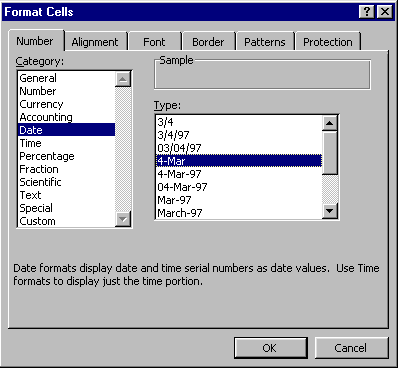
The Number tab can be misleading, as it contains many different formats, including text. The table below lists the categories shown under the number tab (see screenshot to the right), along with the formatted value that would be displayed and the content that was entered into the cell. Note that what is displayed (the formatted value) may be very different from what is entered into the cell (the content). |
 |
|||||||||||||||||||||||||||||||||||||||||||||
|
||||||||||||||||||||||||||||||||||||||||||||||
| [Done | Format Cells] | ||||||||||||||||||||||||||||||||||||||||||||||