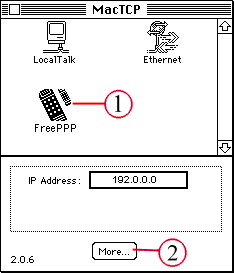
( 1 ) Select "FreePPP," "MacPPP," or "PPP" from this window (there should be only one item with such a name). This chooses what dialer you will use to connect to the internet.
( 2 ) Click on the button labeled "More..." This will bring up another window for the remaining steps.
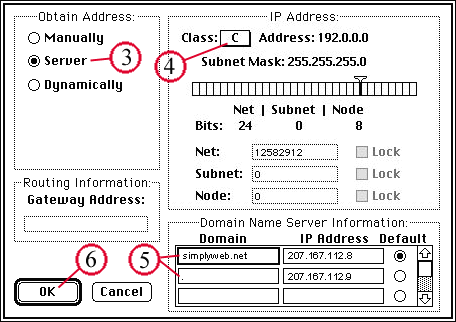
( 3 ) In the next window, click in the circle to the right of "Server." This indicates that your computer will obtain an IP Address from your Internet service provider (ISP) every time you log on.

 in the upper left of your screen, inside Control Panels.